

When developing complex models, understanding how calculations fit together is essential. Whether you’re debugging an unexpected result, assessing the impact of a change, or simply getting familiar with an existing model, you need to be able to see how model objects relate to one another.
Mo.net’s Results Precedents and Dependents capability already lets you trace a calculation result back through the components and values that contributed to it. In Mo.net 7.8.0, we’ve extended this visibility with Used By / Depends On functionality for Inputs, Parameters and Functions.
Used By shows you where a selected object is referenced elsewhere in the model, while Depends On shows you which model objects it relies on. You can explore these relationships either as a list or visually in a dependency diagram.
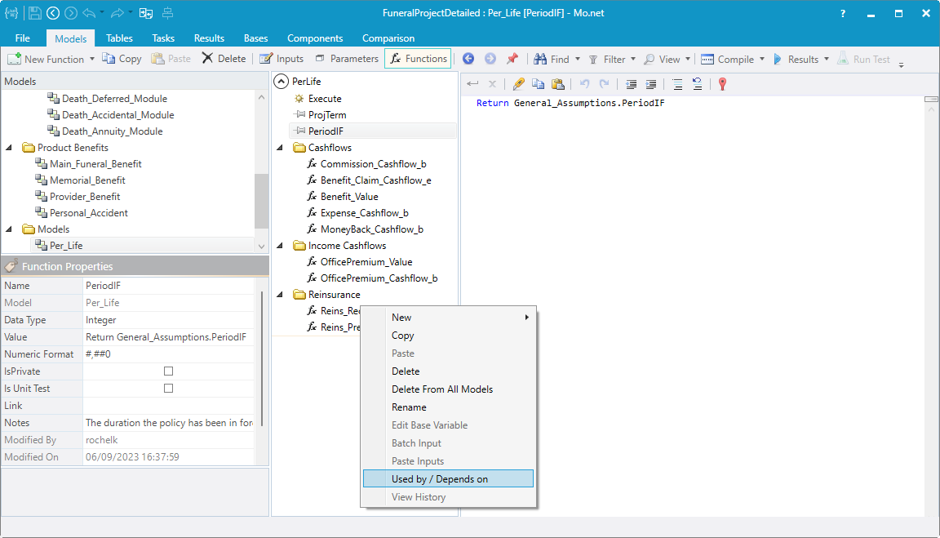
Using the feature is simple. Select a model in the Models tree, choose the Input, Parameter or Function you’re interested in, then right-click and select Used By / Depends On. In this example, we’re using the FuneralProjectDetailed sample project. We’ve selected the Reins_Recovery_e function in the Per_Life model.
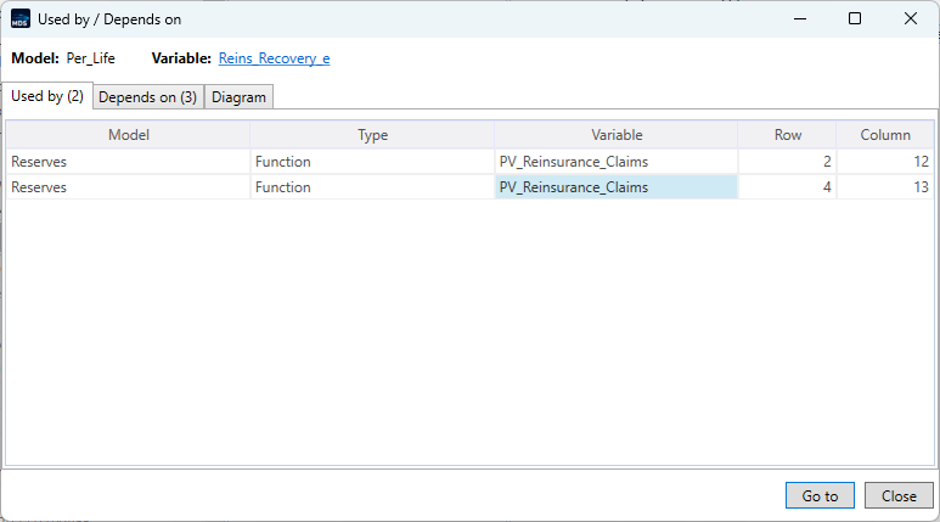
The Used By view immediately shows two references to this function. Both occur within PV_Reinsurance_Claims in the Reserves model, on different rows.
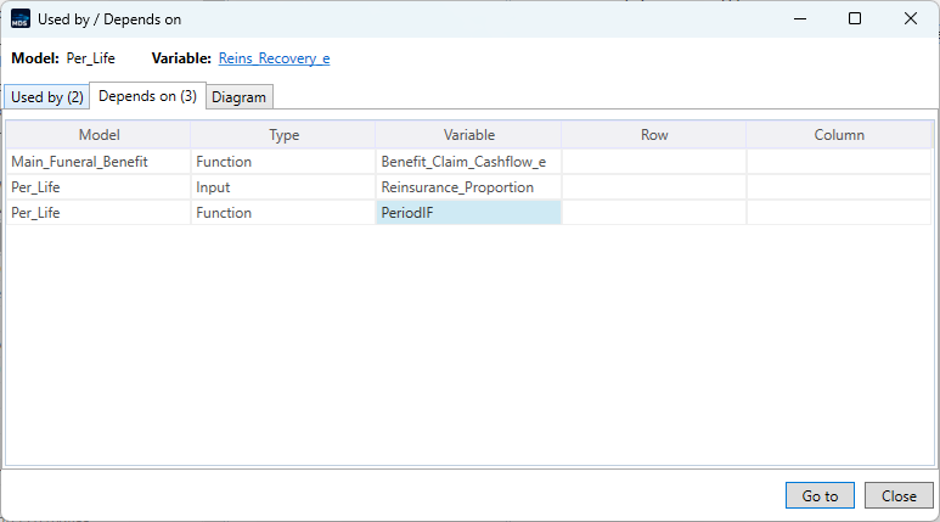
Switching to Depends On shows the other side of the relationship. Reins_Recovery_e has three dependencies, and the view identifies both the objects and the models in which they reside.
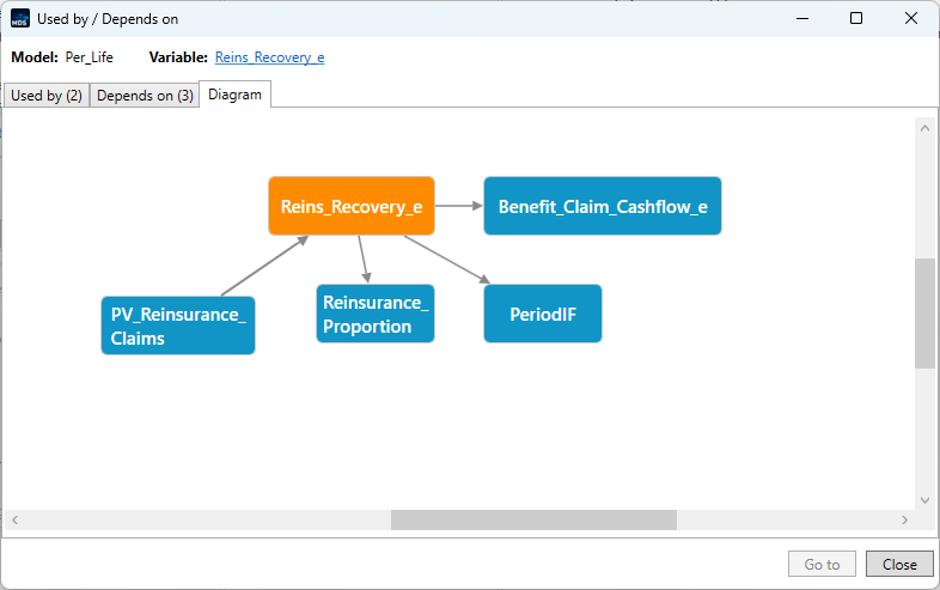
For a more visual overview, the Diagram tab brings both directions together in a single view. This makes it much easier to see the selected object’s place within the wider model and understand the relationships around it.
With Used By / Depends On, you can explore model relationships without manually searching through functions and references. This makes it easier to understand unfamiliar models, investigate calculation behaviour and assess the potential impact of changes before making them.